Overview of OpenStack GUI
Projects
A project is a pool of shared virtual resources, to which you can assign OpenStack users and groups. Each project is sectioned off with its own resources. There is a drop-down menu in the top left corner of Horizon, displaying all the projects running on our infrastructure. Clicking through will change which project you are interacting with.
API Access
Displays the services and their endpoints that the GUI connects to.
Compute
This is where most operations will occur.
- Overview: Displays resource usage and availability within the project.
- Instances: Displays all currently running instances in the project and allows you to create, delete, or edit instances.
- Images: Displays all images allowed for your project. You can add, launch, or delete images with permissions.
- Keypairs: Allows you to upload your own key pair or have OpenStack create one for you, for remote access to instances.
- Server Groups: Specifies a set of servers that must run on the same system or on different systems.
- Volume: Provides detachable block storage devices for instances, enabling persistent storage.
- Backups: Stores backups of data from instances.
- Snapshots: Captures the state of an instance at a specific point in time.
- Groups: A collection of users within a domain, dividing members into groups that can change permissions and access levels.
- Group Snapshots: A snapshot of a group of volumes created simultaneously.
Networks
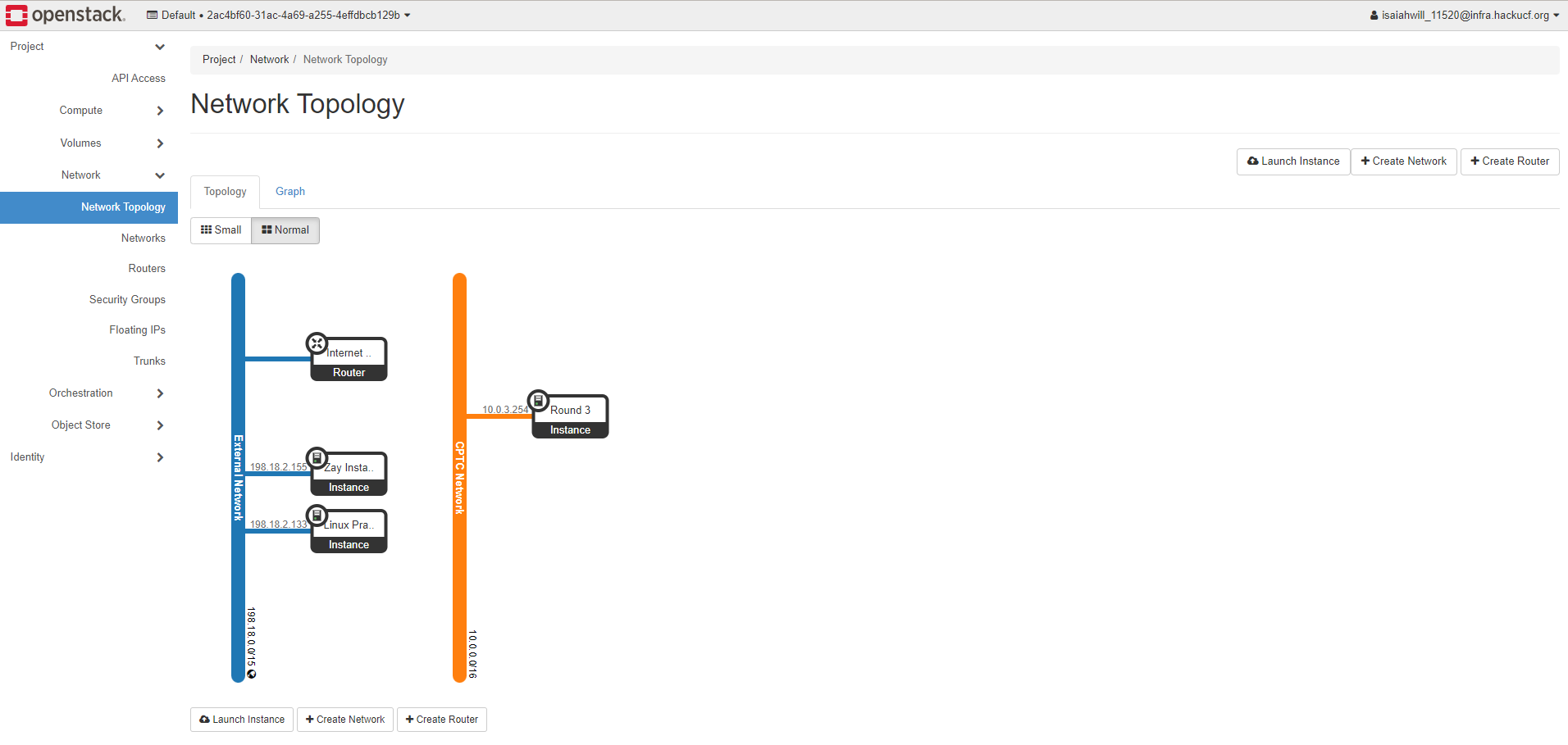
- Network Topology: Displays information on the architecture of the cloud project, showing instances, routers, servers, etc., in a graph or topology image.
- Networks: Allows creation or modification of networks, setting IP ranges and external/internal access.
- Routers: Builds a router that can connect to the external network (e.g., the internet).
- Security Groups: Defines rules controlling communication between instances and the internet.
- Float IP: Configures and launches floating IPs for instances to be publicly accessible.
- Trunk: Groups logical ports from different networks to provide a single-trunked vNIC for servers.
Orchestration
- Stacks: A collection of resources managed by the platform.
- Resource Types: Lists all resources used, allowing users to specify multiple rules when creating a composite alarm.
- Template Versions: Corresponds to different versions of Heat, the primary orchestration component automating resources, infrastructure, applications, and services.
- Template Generator: Sets variables within a template using input data, enabling reuse of the same template to generate content.
Object Store
Used for redundant, scalable data storage using clusters of standardized servers to store petabytes of accessible data.
Identity Tab
- Projects: Lists available projects.
- Users: Lists all users in the project.
- Application Credentials: Temporary credentials allowing applications to authenticate to OpenStack.
Next Steps
- Go to OpenStack Setup Guide